Slack Mention Notifier
Turn Slack mentions into Apple Reminders and macOS notifications. A tiny menu bar app — no servers, no cloud, just your Mac.

Turn Slack mentions into Apple Reminders and macOS notifications. A tiny menu bar app — no servers, no cloud, just your Mac.
Every time someone mentions you in Slack, three things happen automatically.
Adds a reaction to the message so your team knows you've been notified. Choose from 200+ emoji.
Adds an Apple Reminder with the sender, channel, message text, and a link back to Slack.
Shows a native macOS notification — works even when Slack is in the background or closed.
Connects directly to Slack via WebSocket. No middleman, no server, no data leaves your Mac.
In any channel the bot is in
Via real-time WebSocket
So the sender knows
With full context + link
Simple, native, and stays out of your way.
Designed to stay out of your way while making sure nothing slips through.
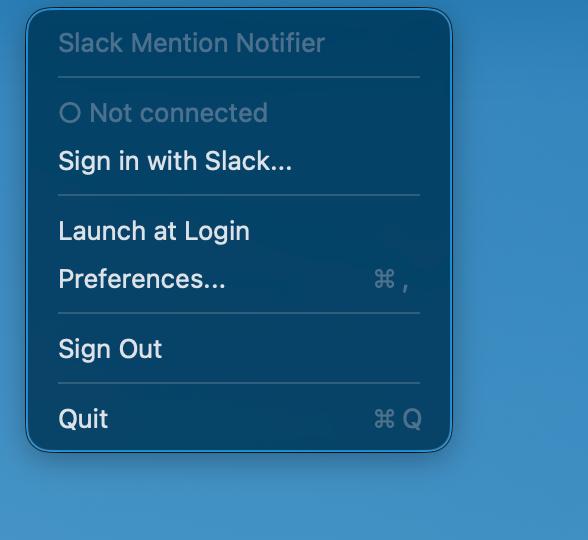
Lives in your menu bar as a tiny bell icon. No dock clutter, no windows to manage.
Tokens stored in macOS Keychain. No data sent anywhere except Slack's own API.
No servers, no cloud functions, no tunnels. Socket Mode connects directly via WebSocket.
If your Mac sleeps or loses connection, missed mentions are recovered automatically when back online.
Optionally join all public channels automatically — with periodic scanning for new ones every hour.
One toggle in the menu bar to start automatically every time you boot your Mac.
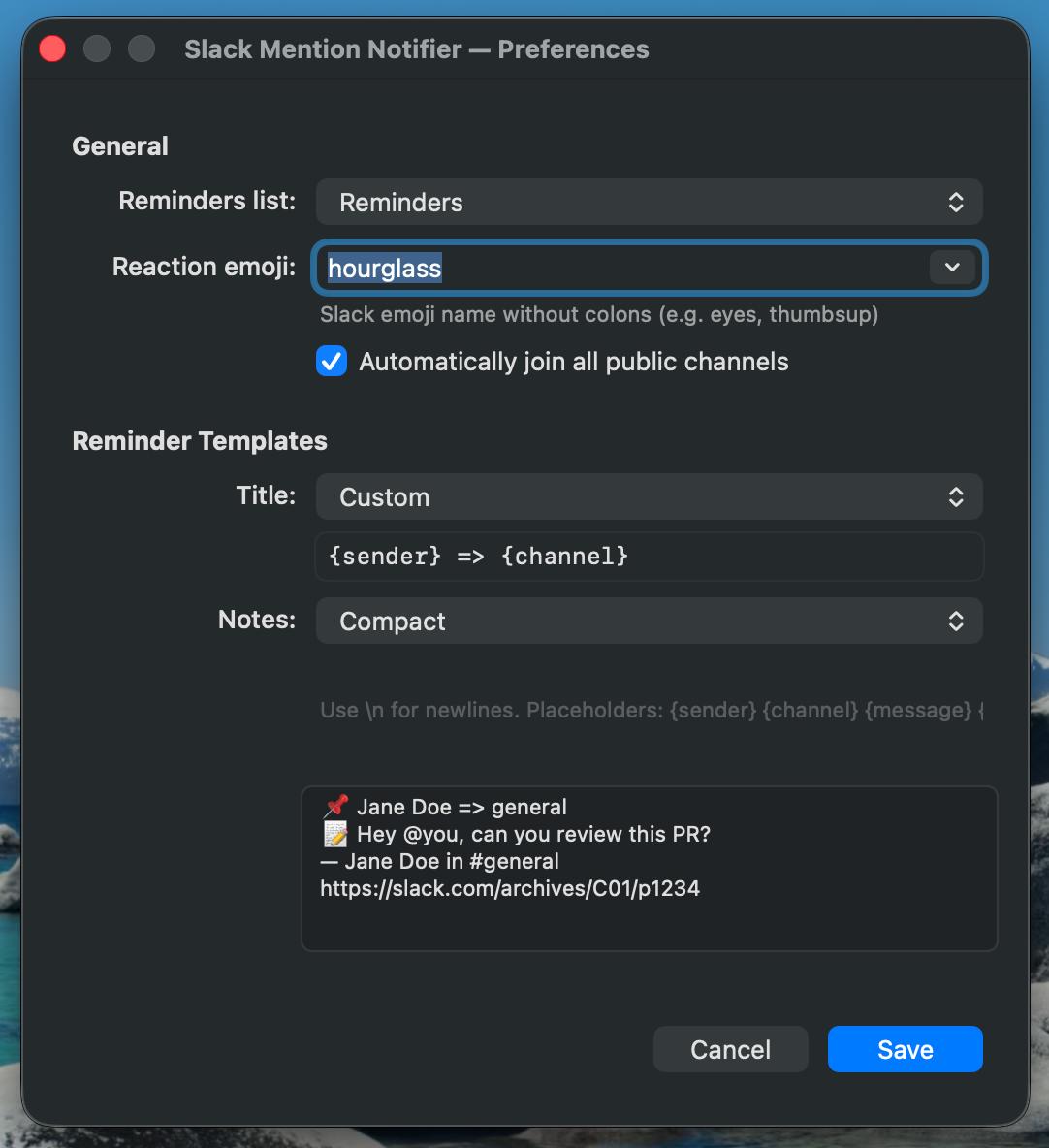
Everything configurable from a native Preferences window — no config files needed.
Pick from 200+ standard Slack emojis or your workspace's custom emoji. Autocomplete included.
Choose which Apple Reminders list to use — the dropdown shows all your actual lists.
Customize how reminders look with named presets or write your own template with placeholders like {sender}, {channel}, and {message}.
Download, sign in, done.
Grab the latest .dmg from GitHub Releases and drag it to Applications.
On first launch, macOS may warn about an unidentified developer. Right-click the app → Open to bypass, or run: xattr -cr /Applications/Slack\ Mention\ Notifier.app
Click the 🔔 icon in your menu bar and choose "Sign in with Slack...". Authorize the app in your browser — one click and you're connected.
macOS will ask for permission to create reminders. Click OK.
Open Preferences (⌘,) to pick your reaction emoji, choose a Reminders list, configure templates, or enable auto-join for all channels.
Install the Slack app once, then each team member downloads and signs in individually.
Every user's app only processes @mentions of their own Slack account. Messages for other users are silently discarded — never displayed, stored, or logged.
Slack allows a maximum of 10 concurrent Socket Mode connections per app token. For larger teams, generate additional app-level tokens in your Slack app settings.
Free, open source, and takes less than 2 minutes to set up.